Why Website Security Is Non-Negotiable
A single security breach can damage your reputation, cost you customers, and impact your Google rankings. In 2025, cyber-attacks are more sophisticated, but so are the tools available to protect your website.
At Help.com.au, we believe that security shouldn’t be optional. Every small business website deserves to be fast, trusted, and safe for visitors.
What Is an SSL Certificate and Why Does It Matter?
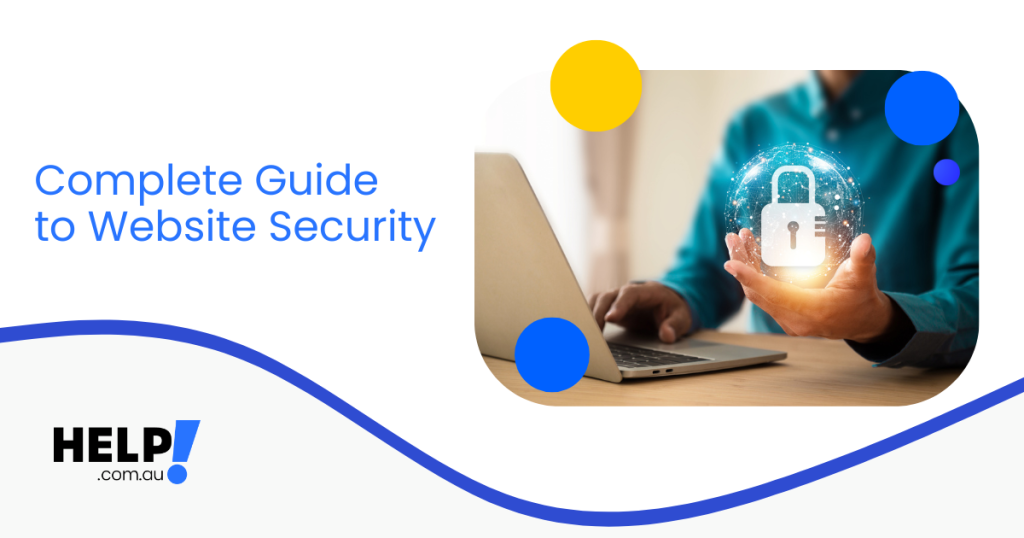
SSL (Secure Sockets Layer) encrypts data sent between your visitors’ browsers and your website. When a site has SSL installed, you’ll see the padlock icon and “https://” before the URL, a sign that the connection is secure.
Benefits of Having an SSL Certificate
- Builds customer trust and credibility
- Prevents sensitive data theft (passwords, credit card info)
- Helps your site rank higher in Google
- Eliminates “Not Secure” browser warnings
Google confirmed that SSL is a ranking factor, and secure sites are prioritised in search results.
Types of SSL Certificates Explained
Different SSL certificates provide varying levels of validation. Here’s a quick breakdown:
| Type | Ideal For | Validation | Benefit |
| DV (Domain Validated) | Blogs, portfolios, personal sites | Verifies domain ownership | Quick setup, affordable |
| OV (Organisation Validated) | Business websites | Confirms organisation details | Adds legitimacy and trust |
| EV (Extended Validation) | eCommerce or large businesses | Rigorous identity check | Displays company name in browser bar |
Tip: For Australian small businesses, OV SSL provides the best balance between cost, trust, and credibility.
How to Install SSL on Help.com Hosting
Adding SSL to your Help.com account is simple and takes just minutes.
- Log in to your Help.com dashboard.
- Go to Security > SSL Certificates.
- Choose your SSL plan (DV, OV, or EV).
- Click Activate, and our system automatically installs and validates.
- Test your site at https://yourdomain.com to confirm the padlock is active.
Additional Steps to Strengthen Website Security
Even with SSL in place, layered protection is key. Combine encryption with hosting best practices:
- Daily Backups: Automatically back up files so you can restore them instantly if needed.
- Web Application Firewall (WAF): Blocks common attacks before they reach your site.
- Regular Updates: Keep CMS, plugins, and scripts up to date.
- Strong Passwords: Use a password manager to avoid reuse or weak credentials.
- Multi-Factor Authentication: Add an extra layer of security to admin logins.
Remember: 43% of small business attacks target unpatched software. A simple update can save you thousands of dollars.
Why Choose Help.com.au for Secure Website Hosting
When you host with Help.com, you don’t just get performance, you get peace of mind.
- Australian servers for fast, secure local performance
- Free SSL certificate included with every hosting plan
- Automatic malware scans & backups
- 24/7 Australian support from real security experts
- Upgrade anytime to advanced SSL or managed security plans
Protect Your Website and Your Reputation
Your customers trust you with their data, so make sure it’s protected.
Whether you’re launching a new website or upgrading an existing one, Help.com.au’s secure hosting and SSL options make it easy to stay safe. Contact the Help.com.au team for further support.
Frequently Asked Questions
Why is website security important for my business?
Website security protects your business, customer data, and reputation from online threats like hacking, malware, and data breaches. A secure website builds trust with your visitors, keeps sensitive information safe, and helps maintain your search engine rankings. Without proper security, your site risks downtime, lost revenue, and damage to your brand credibility.
What is an SSL certificate, and why do I need one?
An SSL (Secure Sockets Layer) certificate encrypts the data exchanged between your website and its visitors, ensuring sensitive information such as login details and payment data remains private. It also activates the padlock icon and HTTPS in your browser, which signals to users that your site is safe and trustworthy.
How does SSL benefit my website’s performance and trust?
SSL certificates not only secure your website but also improve customer confidence and SEO performance. Search engines prioritise secure websites, meaning having an SSL can help boost your rankings. It also reassures visitors that their data is protected, increasing the likelihood they’ll engage with your business or complete a purchase.
 Domains
 Company